> For the complete documentation index, see [llms.txt](https://docs.otherside.xyz/llms.txt). Markdown versions of documentation pages are available by appending `.md` to page URLs; this page is available as [Markdown](https://docs.otherside.xyz/platform-documentation/creation/unreal-development/features-and-tutorials/notifications.md).

# Notifications

{% hint style="success" %}
verified: 2025-11-20 version: v39
{% endhint %}

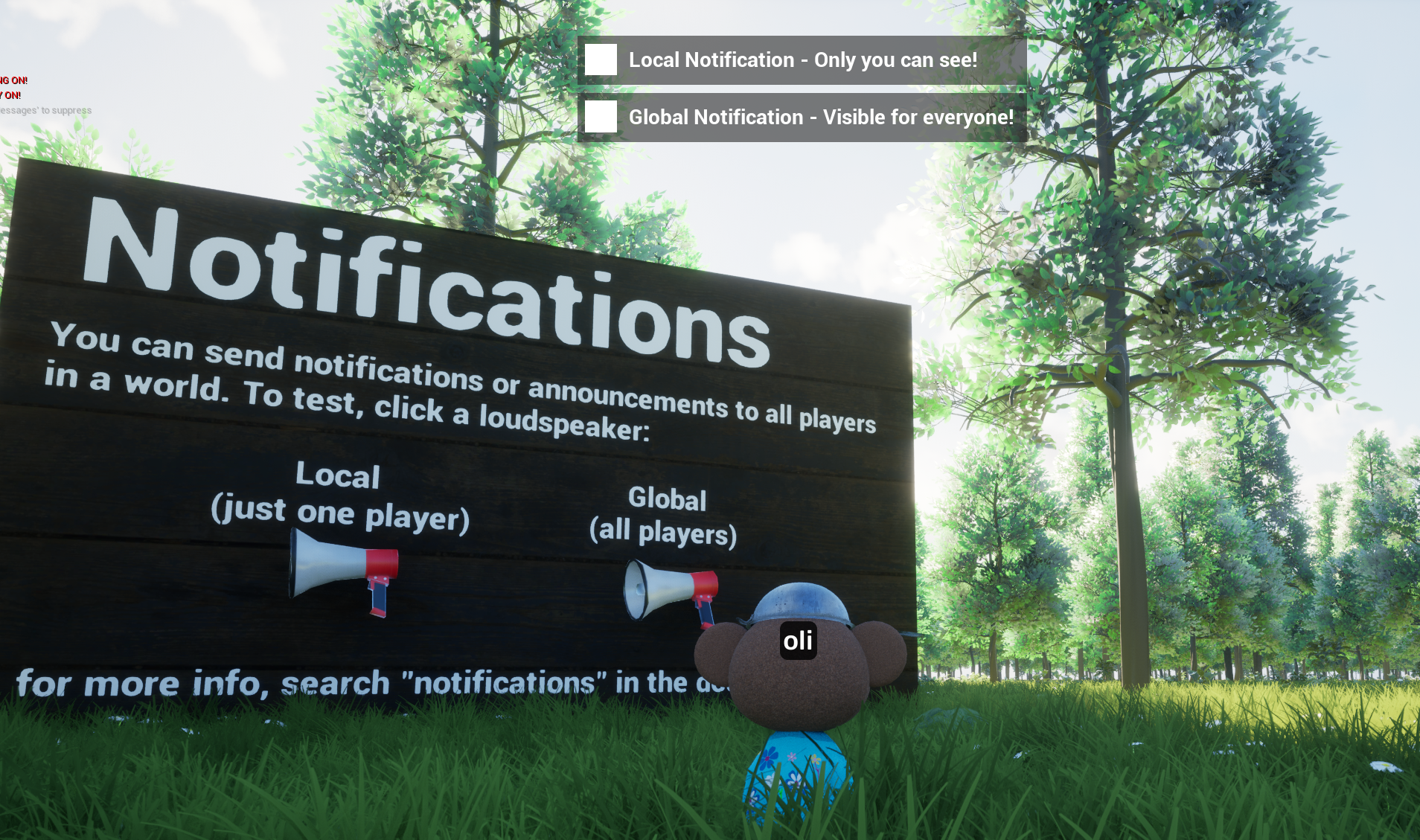
<figure><img src="https://970394512-files.gitbook.io/~/files/v0/b/gitbook-x-prod.appspot.com/o/spaces%2Ft3SBfOIsRz4GCNFFpae7%2Fuploads%2Fgit-blob-bb7df6413941c104250927b05b15bae854a7ea81%2Fimage%20(1434).png?alt=media" alt=""><figcaption><p>The Notification feature billboard in the Example Map demonstrates this features when you click on the megaphones.</p></figcaption></figure>

The notifications system queues and displays notifications passed to clients as packed structs. You can specify the parameters that you want to pass to these structs.

## Setup

Ensure you have a blueprint derived from `M2M_NotificationsSingleton` in your level. The easiest way to do this is to add `BP_M2Examples_NotificationsSingleton` to the `Additional Singletons` array in the World Settings.

<figure><img src="https://970394512-files.gitbook.io/~/files/v0/b/gitbook-x-prod.appspot.com/o/spaces%2Ft3SBfOIsRz4GCNFFpae7%2Fuploads%2FnH5DsbplpCaH92po0znc%2Fimage.png?alt=media&amp;token=c19a35cc-d490-4b23-ae30-f4c1521c1a36" alt=""><figcaption></figcaption></figure>

## Sending Notifications

You can either send a notification to the local client as a local notification, or to send a global notification to all clients.

#### Notification Data

A notification requires three variables to be sent:

* **Notification Type:** An identifier for the notification system to store the notification. This does not have to be unique.
* **Notification Time:** The notification's display duration.
* **Notification Payload:** A morpheus packed struct that wraps any struct you want to pass.

## Displaying Notifications

To display notifications in the user interface you need to hook a widget blueprint up to events sent by the notifications singleton. `WBP_M2Example_NotificationsDisplay` is one such widget blueprint, it binds to the delegates as follows:

#### All Notifications System Functions

* **Send Local Notification:** Send a notification to the local client
* **Send Global Notification:** Send a notification to all clients
* **Remove Notifications by Type:** Remove notifications of type
* **Remove Notifications by Id:** Remove notification with Id
* **Remove All Notifications:** Removes all notifications

## Changing the queueing order

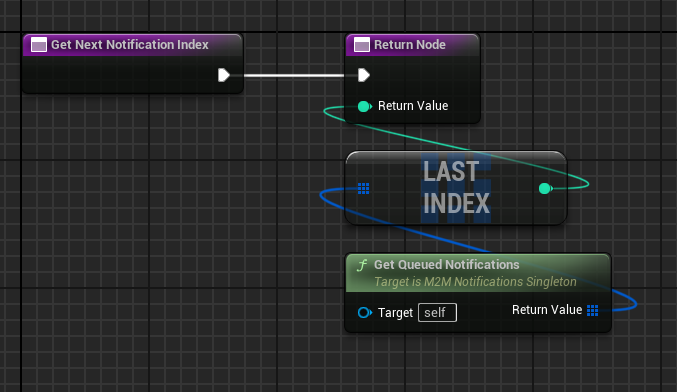
If the you want to change the way notifications are ordered in the queue, create a blueprint with parent `M2M_NotificationsSingleton` and override the GetNextNotificationIndex function. Here's an example of last in first out (LIFO) ordering:

<figure><img src="https://970394512-files.gitbook.io/~/files/v0/b/gitbook-x-prod.appspot.com/o/spaces%2Ft3SBfOIsRz4GCNFFpae7%2Fuploads%2Fgit-blob-42557be64732dda55f3e7b1f877c06d1429b76b0%2Fimage%20(120).png?alt=media" alt=""><figcaption><p>Example Get Next Notification Index override</p></figcaption></figure>

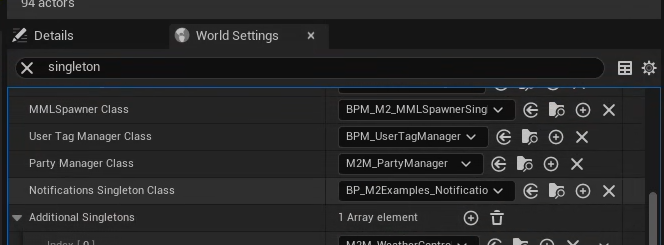
After creating this blueprint class, you need to assign it as the notifications system singleton class under: **World Settings -> Notifications Singleton Class**.

<figure><img src="https://970394512-files.gitbook.io/~/files/v0/b/gitbook-x-prod.appspot.com/o/spaces%2Ft3SBfOIsRz4GCNFFpae7%2Fuploads%2Fgit-blob-d24b925ccf98bc3b596de47cc02d0550fa39b081%2Fimage%20(1435).png?alt=media" alt=""><figcaption></figcaption></figure>


---

# Agent Instructions
This documentation is published with GitBook. GitBook is the documentation platform designed so that both humans and AI agents can read, navigate, and reason over technical content effectively. Learn more at gitbook.com.

## Querying This Documentation
If you need additional information that is not directly available in this page, you can query the documentation by asking a question.

Perform an HTTP GET request on the following URL with the `ask` and `goal` query parameters:

```
GET https://docs.otherside.xyz/platform-documentation/creation/unreal-development/features-and-tutorials/notifications.md?ask=<question>&goal=<user_goal>
```

`ask` is the immediate question: it should be specific, self-contained, and written in natural language.
`goal` is what the user is ultimately trying to achieve, the reason they need the answer. Sharing it helps GitBook give you a better, more relevant answer. A goal is most helpful when it describes the outcome the user wants rather than restating the question. For example, with `ask=how do I create an API token`, a goal like `automate deployments from our CI pipeline` lets GitBook tailor the answer to that use case.

The response will contain a direct answer to the question and relevant excerpts and sources from the documentation.

Use this mechanism when the answer is not explicitly present in the current page, you need clarification or additional context, or you want to retrieve related documentation sections.