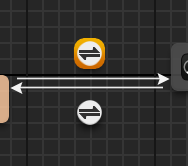
A Transition
A Transition
.png?alt=media)
Transition Properties
 Transition
* `Priority Order` is supported
* `Bidirectional` is unsupported
* `Blend Logic` is unsupported (always assumes a Standard Blend)
* `Transition Rule Sharing` is unsupported
* Transition rules themselves are [covered below](#transition-rules)
* `Automatic Rule Based On Sequence Player In State` is supported
* `Automatic Rule Trigger Time` is supported (both nonnegative and negative configurations)
* `Sync Group Name to Require Valid Markers Rule` is unsupported
*
Transition
* `Priority Order` is supported
* `Bidirectional` is unsupported
* `Blend Logic` is unsupported (always assumes a Standard Blend)
* `Transition Rule Sharing` is unsupported
* Transition rules themselves are [covered below](#transition-rules)
* `Automatic Rule Based On Sequence Player In State` is supported
* `Automatic Rule Trigger Time` is supported (both nonnegative and negative configurations)
* `Sync Group Name to Require Valid Markers Rule` is unsupported
*  Blend Settings
* Note: Blend settings are always assumed to be a linear transition over 0.2s whenever a state change occurs within the crowd (see `CrowdAnimBlueprintCommon::CrossfadeDuration` constant)
* Events
* Notifications
## Transition Rules
Simple transition rules can be achieved through comparisons on one or more inputs combined with logical operations.
For example, the following kinds of expressions would be supported
* `AnimVar.IsMoving == 1`
* `AnimVar.HasLowGravity != 0`
* `(Get Relevant Anim Time > 0.4) & (AnimVar.IsJogging == 1)`
where the expressions are all of the form `[Input] [Comparison] [Constant]`. The last case is simply a logical combination of two of these, which also fine.
Blend Settings
* Note: Blend settings are always assumed to be a linear transition over 0.2s whenever a state change occurs within the crowd (see `CrowdAnimBlueprintCommon::CrossfadeDuration` constant)
* Events
* Notifications
## Transition Rules
Simple transition rules can be achieved through comparisons on one or more inputs combined with logical operations.
For example, the following kinds of expressions would be supported
* `AnimVar.IsMoving == 1`
* `AnimVar.HasLowGravity != 0`
* `(Get Relevant Anim Time > 0.4) & (AnimVar.IsJogging == 1)`
where the expressions are all of the form `[Input] [Comparison] [Constant]`. The last case is simply a logical combination of two of these, which also fine.
.png?alt=media)
A simple transition rule just reading a single Anim Var property via a macro
.png?alt=media)
A more complex transition rule reading two properties with some logic
 Anim Var inputs
* Anim Var inputs generally supported
* As noted [here](/platform-documentation/creation/unreal-development/features-and-tutorials/the-animated-crowd/crowd-animation/crowd-anim-blueprint/reference-guide-abp-nodes/variables.md#anim-vars), Boolean variables are all internally represented as float, so care around precision may be needed in comparisons
* Timestamp tests on state machine
* Get Relevant Anim Time
* Get Relevant Anim Time Fraction
* Get Relevant Anim Time Remaining
* Get Relevant Anim Time Remaining Fraction
* Timestamp tests on asset player
* Current Time
* Current Time (ratio)
* Time Remaining
* Time Remaining (ratio)
#### Comparisons
* Floating point comparisons: `<`, `<=`, `=`, `!=`, `>=`, `>`
* Non-floating point comparisons (e.g. enums), unsupported
* `In Range` node supported on float and integer types
#### Logical Ops Supported
* And
* Or
* Xor
* Not
#### Misc
* Macros
* Struct breaking (e.g. extracting a component from a vector)
---
# Agent Instructions
This documentation is published with GitBook. GitBook is the documentation platform designed so that both humans and AI agents can read, navigate, and reason over technical content effectively. Learn more at gitbook.com.
## Querying This Documentation
If you need additional information that is not directly available in this page, you can query the documentation dynamically by asking a question.
Perform an HTTP GET request on the current page URL with the `ask` query parameter, and the optional `goal` query parameter:
```
GET https://docs.otherside.xyz/platform-documentation/creation/unreal-development/features-and-tutorials/the-animated-crowd/crowd-animation/crowd-anim-blueprint/reference-guide-abp-nodes/transitions.md?ask=
Anim Var inputs
* Anim Var inputs generally supported
* As noted [here](/platform-documentation/creation/unreal-development/features-and-tutorials/the-animated-crowd/crowd-animation/crowd-anim-blueprint/reference-guide-abp-nodes/variables.md#anim-vars), Boolean variables are all internally represented as float, so care around precision may be needed in comparisons
* Timestamp tests on state machine
* Get Relevant Anim Time
* Get Relevant Anim Time Fraction
* Get Relevant Anim Time Remaining
* Get Relevant Anim Time Remaining Fraction
* Timestamp tests on asset player
* Current Time
* Current Time (ratio)
* Time Remaining
* Time Remaining (ratio)
#### Comparisons
* Floating point comparisons: `<`, `<=`, `=`, `!=`, `>=`, `>`
* Non-floating point comparisons (e.g. enums), unsupported
* `In Range` node supported on float and integer types
#### Logical Ops Supported
* And
* Or
* Xor
* Not
#### Misc
* Macros
* Struct breaking (e.g. extracting a component from a vector)
---
# Agent Instructions
This documentation is published with GitBook. GitBook is the documentation platform designed so that both humans and AI agents can read, navigate, and reason over technical content effectively. Learn more at gitbook.com.
## Querying This Documentation
If you need additional information that is not directly available in this page, you can query the documentation dynamically by asking a question.
Perform an HTTP GET request on the current page URL with the `ask` query parameter, and the optional `goal` query parameter:
```
GET https://docs.otherside.xyz/platform-documentation/creation/unreal-development/features-and-tutorials/the-animated-crowd/crowd-animation/crowd-anim-blueprint/reference-guide-abp-nodes/transitions.md?ask=